Claude Code Mods: What They Are and Where They Fit
Claude Mods add in-process TypeScript hooks to Claude Code. Here is what that changes, where Mods are useful and why the early-access warning matters.
Claude Code can now be modified from inside its own runtime.
On September 9, 2026, Anthropic gave this system a name: Claude Mods. The company’s definition is unusually precise: a Mod is a Claude Code plugin that uses function hooks.
That distinction matters. Mods are not another name for skills, MCP servers, agents or the shell-based hooks Claude Code already supports. They are TypeScript functions that run inside Claude Code’s process and can react to its internal events.
This lets a plugin change the interface, inspect or rewrite tool calls, keep local state and wrap other behavior like middleware. It also gives a Mod considerably more reach than a prompt file.
The feature is early access. Anthropic says the API may change between releases, so this is the right moment for experiments rather than critical company infrastructure.
Claude Code Mods vs Plugins: The Difference
A normal Claude Code plugin is a package. It can contain skills, commands, subagents, hooks and MCP servers, as explained in Claude Code’s extension overview.
A Mod is a particular kind of plugin: its behavior lives in a hooks module built on Claude Code function hooks. That module registers TypeScript functions against Claude Code events. Each function receives the event, a continuation for passing control to the next hook and a $ interface for side effects.
The practical result is a middleware layer around Claude Code itself.
A Mod can, depending on its granted capabilities:
- draw information above the prompt or open a pane beside the transcript;
- react to prompts, tool calls, compaction and subagent activity;
- modify an event before the next handler sees it;
- run a local process, read or write files, or make a network request;
- expose a new capability that other Mods can use.
This is more direct than asking the model to follow an instruction. A skill influences Claude through context. A classic hook launches a separate command when a supported event occurs. A Mod runs code in the application’s event path.
That difference creates two advantages. First, deterministic behavior does not need to occupy the model’s context. Second, interface work can happen locally without spending model tokens. “Without tokens” does not mean the whole Claude Code session becomes free, or that every Mod is free to run. A Mod can still trigger model calls, processes or paid network services.
Claude Code Mods Examples: 5 Real Projects
The Claude Code Mods ecosystem is days old, but the examples are already more concrete than “customize your coding agent.” These are working open-source projects documented by their creators. Their repositories show what the software does; they do not prove productivity gains or broad adoption.
1. Play while Claude works with cc-arcade
Akgün’s cc-arcade runs games directly above the Claude Code prompt. Its current repository includes Snake, Tetris, 2048, Minesweeper, Flappy, Pong, a typing test, Space Invaders and a small Doom-like corridor shooter. When Claude finishes, the game pauses and tells the player that the answer is ready.
The plugin handles input and rendering locally, so playing does not call the model. A pet also reacts to tests, commits and file edits. This is not a productivity tool, but it is strong evidence that Mods can create interactive surfaces rather than merely inject instructions.
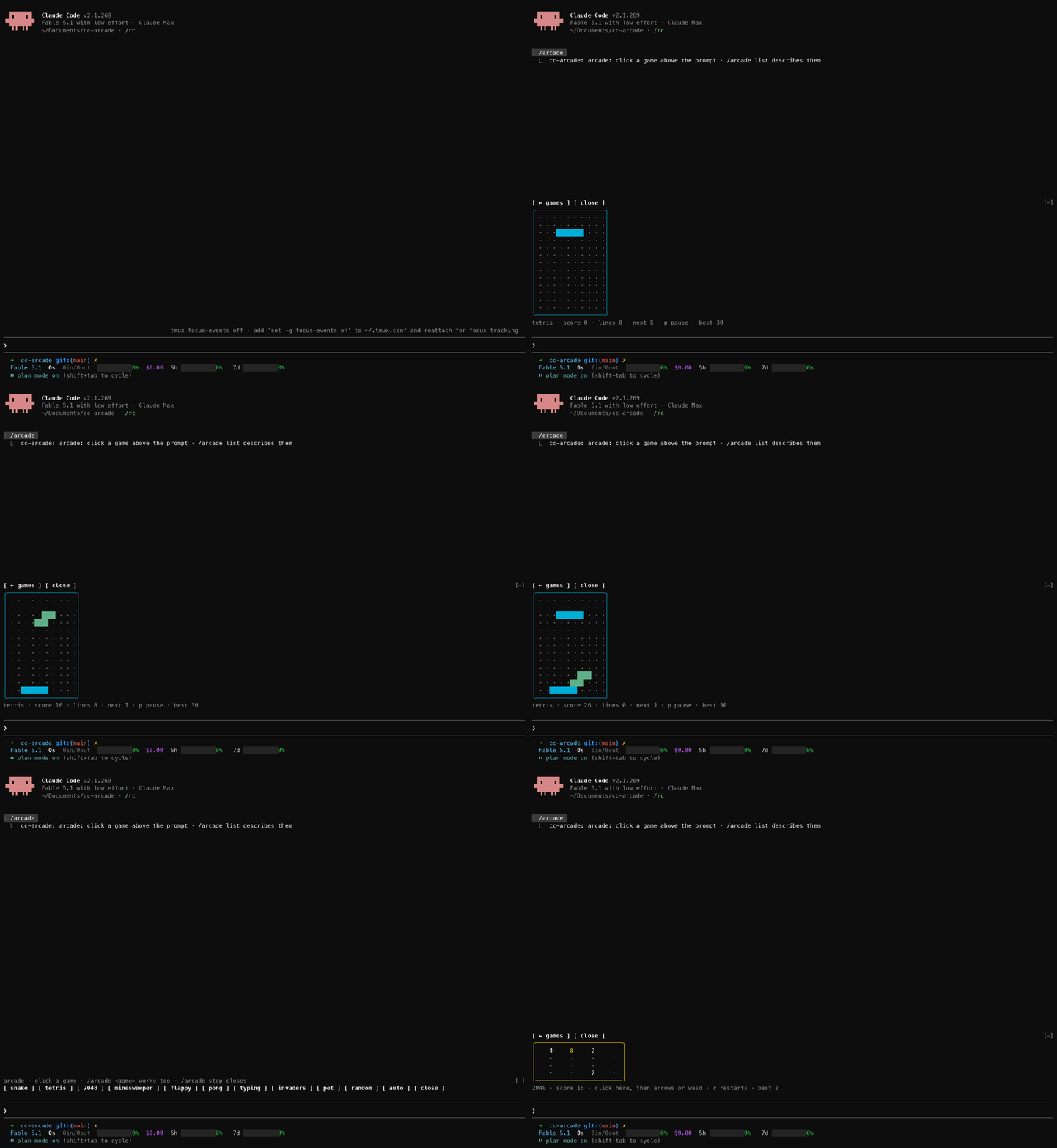 Demo by Seza Akgün, from the cc-arcade repository
cc-arcade switching between Tetris and 2048. Demo by Seza Akgün; source: cc-arcade.
2. Turn waiting time into a breathing exercise
Mindful Claude, by halluton, draws a guided breathing animation while Claude is working and removes it when the answer arrives. Users can select coherent, box, 4-7-8 or physiological-sigh timing and change the visual style.
The animation runs locally and the model never sees it. The repository also preserves the project’s earlier shell-and-tmux version, showing how function hooks let the author move the experience into Claude Code’s own interface.
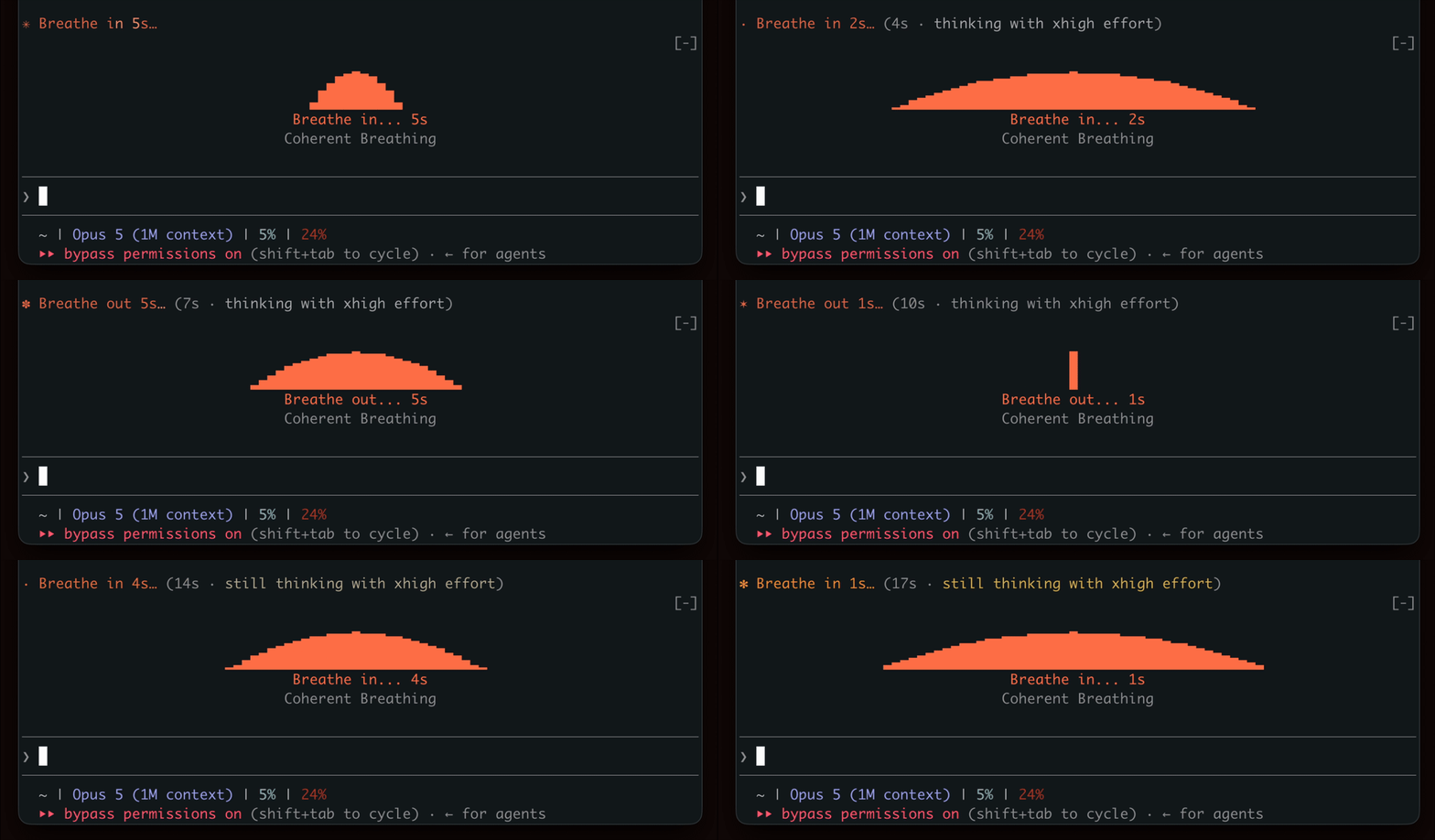 Demo by halluton, from the Mindful Claude repository
Mindful Claude turns an active model turn into a guided breathing exercise. Demo by halluton; source: Mindful Claude.
3. Watch context, cost and agents with cctop
cctop, created by Tom Stagl, places an htop-style dashboard beside a live Claude Code session. It reads Claude Code’s local session data and displays context fill, token use, cache hit ratio, rate limits, per-tool latency, touched files, MCP servers and subagent activity.
With function hooks enabled, the dashboard can dock inside Claude Code. Otherwise it falls back to a terminal split. Its rule-based advisor currently documents 36 checks, including long-running commands, repeated denials, missing tests after edits and context approaching compaction. That “36” is the project’s current rule count, not an outcome metric.
4. Keep pull requests in the terminal with cc-pr-tracker
Seza Akgün’s cc-pr-tracker turns each watched GitHub pull request into a status line above the prompt. It shows merge state, review decision and required checks, polling through the authenticated GitHub CLI once per minute.
When a required check or merge state changes, the Mod can show a toast, flash a strip and play a sound on macOS. It also detects PR links in Claude’s answers and in gh pr create output. The repository is explicit about its limits: watched PRs live in memory, only github.com is supported and headless sessions do not draw the interface.
5. Review changes without leaving the conversation
Anthropic’s own diff Mod opens uncommitted changes in a pane beside the transcript. It refreshes as Claude edits files and runs commands, and can open automatically on the first edit when the terminal is wide enough.
This is a small feature, but it demonstrates the central idea well: the review surface reacts to the agent’s work without consuming space in the prompt or requiring the model to describe the diff.
How to Install and Create Claude Code Mods
Start with a recent Claude Code build and enable the early-access function-hooks flag, CLAUDE_CODE_ENABLE_FUNCTION_HOOKS=1. A community Mod is still installed as a Claude Code plugin, so review its repository and declared capabilities, then follow the author’s plugin or marketplace instructions. Anthropic’s official source also documents loading a Mod directly from a local plugin directory, which is useful for a disposable test. Restart Claude Code after enabling it and try one narrow feature before adding more.
How to create Claude Code Mods
Authoring one is a plugin-authoring task. Anthropic's Mod authoring API documents the layout: a mod folder holds .claude-plugin/plugin.json, a hooks/hooks.json that names the TypeScript module, and the module's source under hooks/, typed against declarations shipped with claude-code.
Inside that module you register handlers against Claude Code events:
on(eventName, ($, e) => {
  // inspect or rewrite the event, then pass control on
  return next(e)
})
Here e is the event, $ is the engine interface you use for side effects, and next is the continuation that hands control to the following hook. Returning a value instead of calling next short-circuits the chain—which is how a Mod overrides behavior rather than merely observing it.
Because the API is early access and may change between releases, check the official README against the Claude Code version you have installed rather than copying an example from a blog post.
The ecosystem is real, but extremely young
I did not find a credible productivity benchmark or a customer case with measured business results. That is unsurprising: the feature was named only ten days before this article.
The best quantitative snapshot I found comes from the community scanner behind Awesome Claude Code Mods. On September 17, it reported 72 Mods across 142 candidate repositories, tested against Claude Code 2.1.274. Of those Mods, 30 could run host processes, 11 could write files, 14 could reach the network and three failed validation on that version.
Those figures measure discovery and technical reach. They do not show adoption, reliability or business impact. They do show why installing a Mod is a security decision, deserving the same care as installing any code that can run on your development machine.
Before adopting one, inspect its source, understand which events it observes, check what it can do through $ and pin the version you reviewed. A footprint is not evidence of malicious intent, but “it only changes the UI” is not a safe assumption unless the code and declared capabilities support it.
Should you use Claude Mods now?
Use Claude Code Mods now if you enjoy testing developer infrastructure early and have a narrow, reversible problem: a local dashboard, a visual aid, a usage meter or a small guardrail.
Wait if the workflow controls production access, handles sensitive customer data or must remain stable across Claude Code upgrades. The built-in examples are useful reference implementations, but the public documentation and distribution story are still catching up.
Claude Code Mods are interesting because they move Claude Code customization beyond prompts. Skills teach the agent how to work. MCP connects it to tools. Mods change the environment in which the work happens.
That is a powerful layer. For now, it is also an experimental one.
Running a software company or leading an engineering team?
Take the free automated AI Adoption Healthcheck: 3 minutes, and you get your company's AI adoption score with next steps.